Digital menu + ordering platform

Digital menu from €10 per month. Commission-free online orders from €15.

Create your menu in minutes. Accept dine-in, takeaway, and delivery orders. Manage staff and kitchen with Waiter POS and Kitchen Display.
235+ active food venues already use our platform —join them today

FOR YOUR RESTAURANT

Your menu. Your way of working.

Use QR-MENU as a digital catalogue, or add orders, payments and tools for your team. Choose what your business needs.

DIGITAL CATALOGUE

A beautiful menu. Simple for guests. Simple for you.

Guests scan a QR code and browse on their phones — no app required. Access your dashboard around the clock and manage the content yourself.

Your own style

Editable photos, descriptions and a choice of layouts.

In your guest’s language

Unlimited menu languages, automatic translation and manual corrections.

Your base currency

Choose the currency used to display your prices.

Manage your menu 24/7

From your phone, tablet or computer — anywhere in the world with internet access. Add and edit items, prices, photos and descriptions, and show or hide products and categories.

More about the digital menu
  • Search and easy category navigation.
  • Show or hide entire menu categories.
  • Automatically display selected categories on scheduled days and times.
  • Edit item photos directly in your dashboard.
  • Customise your design and typography.
  • Spreadsheet import, menu backups and printable menus.
  • Direct links to individual items.
QR-MENU
One of the QR-MENU layouts

When you need more than a menu

Add the capabilities that suit the way you serve your guests.

Lunch menu module

Manage your lunch menu in one place — from choosing dishes for each day to portion limits and advance orders.

Explore capabilities
  • Plan by date and week, choose dishes and enable or disable each day individually.
  • A dish library with search, categories and groups.
  • Publish the week and copy the menu from the previous week.
  • Display settings for the current day, weekly repetition and a selected time range.
  • Portion limits for each date that account for quantities already ordered.
  • Advance orders for a selected date or multiple days.
  • Lunch menu reports.

Orders and online payments

From your guest’s choice to payment — at a table, from a room, for pickup or delivery.

Explore capabilities
  • Online card payments through Stripe and its supported methods.
  • Enable online payment, payment on site/on receipt, or both — separately for each order type.
  • Advance orders with a configurable number of days ahead.
  • Schedules by weekday with one or several time slots.
  • Set preparation time and temporarily add extra waiting time during busy periods.
  • Order notes, notifications and status tracking.

Combos and additional sales

Combine items at one price and suggest additional products in the cart (Upsell / Cross-sell).

Explore capabilities
  • Automatically show categories on chosen days and times for breakfast, lunch, dinner and Happy Hour.
  • Combo items: combine several products into one offer with a single total price.
  • Complementary product suggestions in the cart.
  • Automatic percentage discounts when an order reaches your chosen threshold.

Tables, reservations and staff

Coordinate service with dedicated screens for waiters, the kitchen and managers.

Explore capabilities
  • Areas, tables and individual QR codes with waiter calls.
  • Reservations with a date, time, table and confirmation.
  • Waiter ordering, additional items and current bills.
  • Kitchen screen, ready status and waiter notifications.
  • Staff profiles and roles, payment recording and staff reports.

Your own delivery service

Accept delivery orders and coordinate your couriers from the platform.

Explore capabilities
  • Choose a flat delivery fee or distance-based pricing.
  • Optionally restrict your delivery area by radius.
  • Set the order value above which delivery becomes free.
  • Courier assignment and delivery status tracking.
  • Courier screen, collected payments and cashout.

Insights for better decisions

See what guests order, how sales change and who comes back.

Explore capabilities
  • Order counts and values, paid and unpaid amounts.
  • Average order value, popular items and quantities sold.
  • Period comparisons and breakdowns by service type.
  • New and returning customers, order history and reports.

Digital HACCP records

Keep daily records and inspection documentation together.

Explore capabilities
  • Equipment, temperatures and incoming goods checks.
  • Cleaning, hygiene and staff records.
  • QR access for checks and entries.
  • Incidents, corrective actions and inspection reports.

Some features require the corresponding plan and activation in settings.

Compare plans

3 ready-made digital menu templates

Choose the look that best suits your venue. All three templates support every platform feature – digital menus, online ordering, waiter calls, reservations and automatic translation.

You also have full control over the design – you can choose fonts, sizes and styles for all menu items to perfectly match your brand.

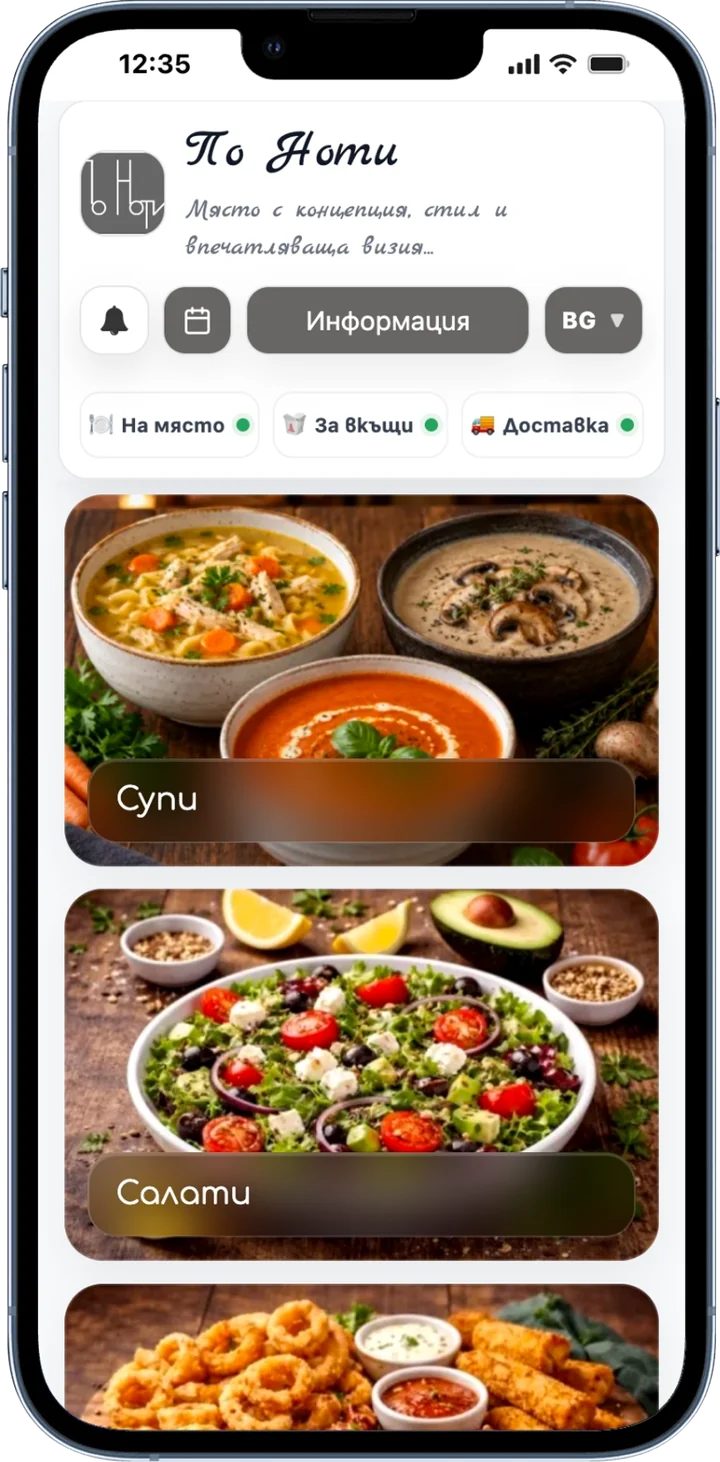
Catalog – Category Cards

Category Cards

A visual catalog with card-based categories for quick and enjoyable browsing.

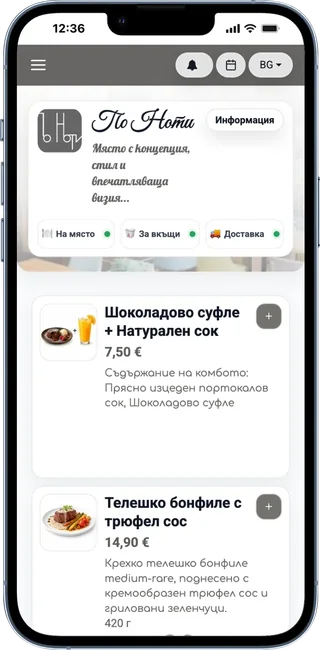
Modern V2 template

Modern V2

A modern, compact layout with clear item cards and effortless navigation.

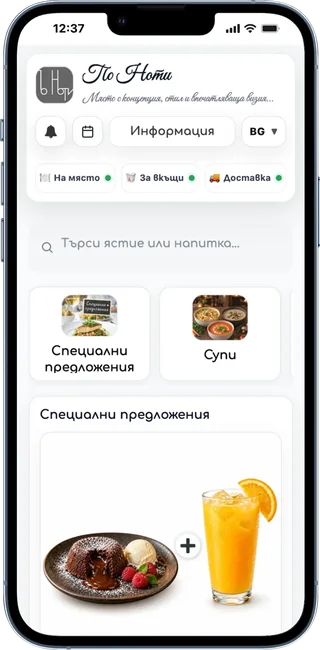
Category Tabs template

Category Tabs

Categories stay close at hand in tabs – an excellent choice for large menus.

✨ 20-second demo

Let the menu speak for itself.

Open the demo. Explore as a customer. Evaluate as an owner.
💡 If you’re on a computer — scan the QR code with your phone camera.

You know who is behind the platform. And when to expect a reply.

Over 20 years of software experience

QR-MENU.BG is backed by an experienced team with a clearly stated physical address and direct contact. You know who you work with and who to turn to.

A reply within 1 hour in most cases

Have a question or need assistance? Contact us through the Help module in your user account. In most cases, we reply within 1 hour between 08:00 and 20:00.

Development based on your needs

Missing a feature? Share your idea. We discuss your needs and give you a clear answer about the options and implementation timeframe.

Which plan is right for your venue?

START
10,00 €per month

100,00 € per year2 months free

Choose START

I want a digital menu for my venue, for browsing only, without orders

Guests scan the QR code and browse your up-to-date menu on their phone. You edit dishes, photos and prices at any time.

See all included features
  • Digital catalogue — one QR code, a link to the menu, categories, search and direct links to individual dishes.
  • Three ready-made templates — Category Cards, Modern V2 and Category Tabs, with settings for fonts, sizes and layout.
  • Menu editing — manage categories, dishes, descriptions, portion sizes, prices and availability from a phone, tablet or computer. Show or hide whole categories.
  • Photos, video and labels — up to three photos and a video link per dish, allergens and labels for vegan and vegetarian options.
  • Menu in several languages — automatic translation, manual corrections and a choice of display currency.
  • Venue information — present your venue on the menu page.
ORDERS
15,00 €per month

150,00 € per year2 months free

Choose ORDERS

I want guests to order straight from the menu

Everything in START, plus online orders, payments, delivery settings and sales statistics.

See all included features
  • Dine-in, takeaway and delivery orders — take orders from the guest’s phone. In hotel mode the guest enters a room number.
  • Call the waiter — guests call a waiter with a button in the menu.
  • Payments — by card online via Stripe, on site or on delivery. Set the payment methods for each order type.
  • Schedule and pre-orders — set working days and hours, several time slots per day, preparation time and extra waiting time when busy.
  • Order management — get notifications, see customer notes and track order status.
  • Delivery settings — set a zone, a fixed price or a distance-based price, and a free-delivery threshold.
  • Combos and promotions — combine dishes at one price, set a discount above a certain amount and show categories on a schedule, for example for Happy Hour.
  • Sales statistics — turnover, number and average value of orders, paid and unpaid amounts, best-selling dishes and comparisons by period and service type. See new and returning customers and their order history.
PREMIUM
20,00 €per month

200,00 € per year2 months free

Choose PREMIUM

I want to manage service in my venue as well

Everything in ORDERS, plus four apps for your team, online reservations, a lunch menu and digital HACCP logs.

See all included features

Four apps for your team

  • POS for waiters — take and add to orders by table, manage open bills and get notified when an order is ready.
  • Kitchen display (KOT) — the kitchen sees new orders and additions. When it marks an order as ready, the waiter is notified.
  • Courier App — assign orders to your own couriers, follow each delivery stage and account for collected payments. The courier sees the address and route.
  • Manager App — follow orders in real time and get notified about new orders and additions. In the management panel you set staff roles and see payments and reports per employee.

Tables, reservations and lunch menu

  • Areas and tables — organise your venue into areas and give each table its own QR code.
  • Online reservations — guests send a request with date, time and party size. The system checks capacity and table availability, and your team confirms the request.
  • Lunch menu — plan by day, use a dish library and copy the previous week. Set display hours and portion limits, take pre-orders for one or several days and review the reports.
  • Cart suggestions — suggest matching products when ordering, for example a drink with lunch or a dessert with a main course.

Digital HACCP logs

  • Four logs — temperatures, incoming control, cleaning and personal hygiene.
  • A QR sticker for every appliance — set allowed temperatures and a check schedule. Staff scan the sticker and record the reading on their phone with a personal PIN.
  • Deviations and corrections — track readings outside the set limits, the actions taken and the history of changes.
  • Inspection report — choose a period and prepare the logs and reports for printing or PDF.
Trial

The trial includes the lunch menu. Staff apps, reservations, individual table QR codes and HACCP require Premium.

Some of the venues that trust us

For 6 years, we have been developing QR Menu for venues like yours.

Premium Club
Premium Club
Кухня Боянска
Кухня Боянска
Resto Shop
Resto Shop
Restaurant Europe Merul
Sorry Sara!
Sorry Sara!
Caffe-Club Matrix
Caffe-Club Matrix
Mare Monti Ristorante & Pizzeria
Стария Чинар Мелник
Стария Чинар Мелник
SALENA Cafe & Fresh Bar
Зала Версай
Зала Версай